Imagine stepping into your Jeep Grand Cherokee on a chilly Austin morning or a scorching Texas afternoon, and it’s already at the perfect temperature. Sounds great, right?
With remote start, you can warm up or cool down your Jeep before you even open the door. But how do you do it? If you’ve ever wondered how to remote start your Jeep Grand Cherokee quickly and easily, you’re in the right place.
This guide breaks down everything you need to know, so you can enjoy comfort and convenience every time you get behind the wheel. Ready to discover the simple steps that make remote starting your Jeep a breeze? Let’s dive in!
Credit: tomskey.com
Remote Start Features On Jeep Grand Cherokee
The Jeep Grand Cherokee offers convenient remote start features that enhance your driving experience. These options allow you to start your vehicle’s engine from a distance. You can warm up or cool down your car before getting in. Remote start adds comfort and saves time, especially in extreme weather.
There are multiple ways to use remote start on the Jeep Grand Cherokee. The key fob and the Jeep app both provide easy methods. Understanding each option helps you choose what fits your needs best. Below are details about the remote start features available.
Key Fob Remote Start
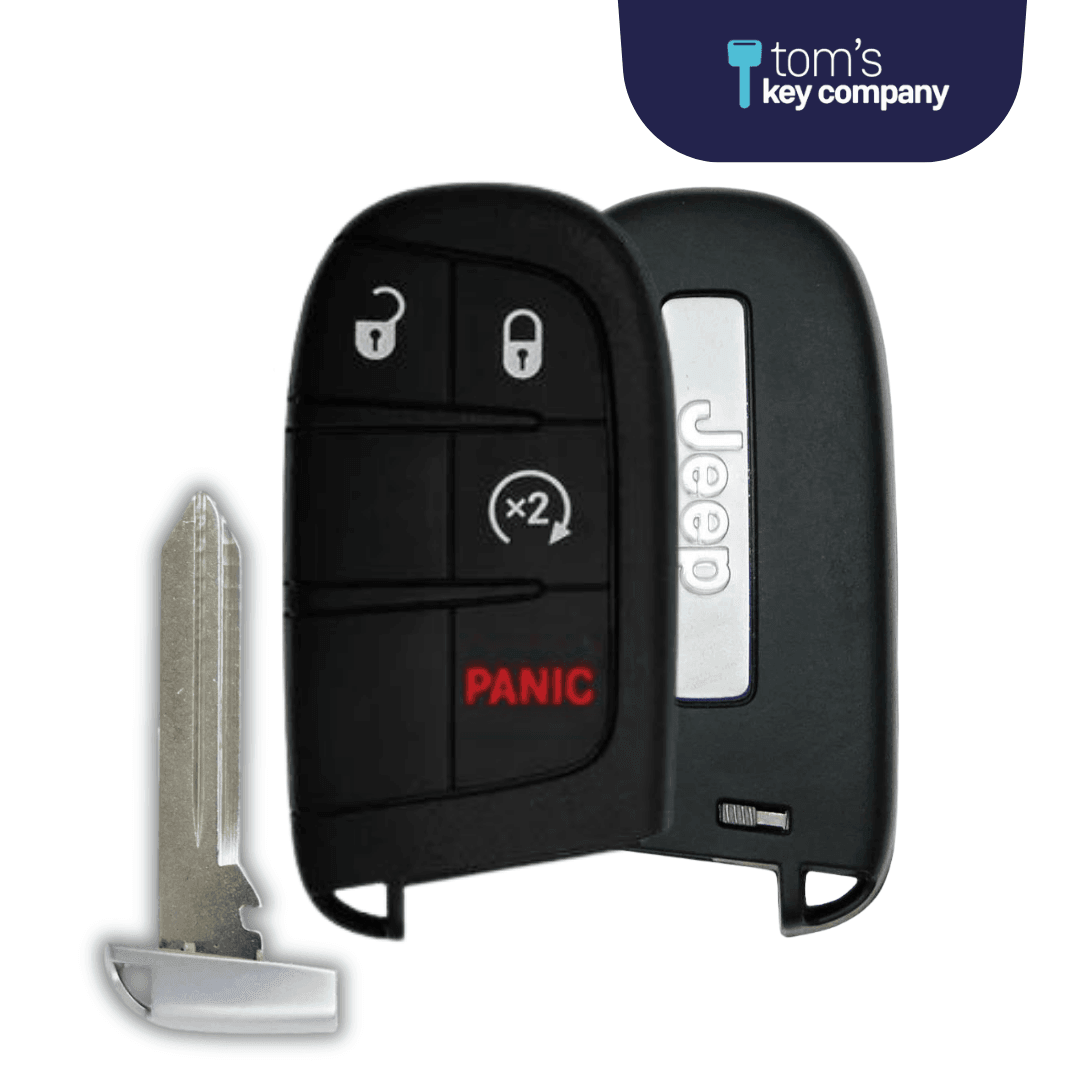
The key fob allows you to start your Jeep Grand Cherokee without using the ignition. Press the lock button once to secure the doors. Then press and hold the remote start button for a few seconds. The engine will start, and the parking lights will flash. This signals the vehicle is running remotely. Make sure all doors are closed and the hood is latched before starting.
Jeep App Remote Start
The Jeep App offers remote start through your smartphone. This feature is part of Jeep Connect services. Once installed and set up, you can start your vehicle from anywhere with internet access. The app also shows vehicle status like fuel level and maintenance alerts. Using the app adds flexibility to manage your Jeep remotely.
Compatibility And Requirements
Not all Jeep Grand Cherokee models support remote start. Generally, newer models from recent years have this feature. Your vehicle must have an automatic transmission and a properly functioning battery. The fuel level should not be critically low. The system will not start if warning lights like the check engine light are active. Confirm your model supports remote start before use.

Credit: www.youtube.com
Preparing Your Jeep For Remote Start
Preparing your Jeep Grand Cherokee for remote start is essential for safety and performance. This process ensures the vehicle is ready and prevents any issues during startup. Follow these simple steps to get your Jeep ready.
Checking Doors And Hood
Make sure all doors are fully closed and locked. The remote start will not work if any door is open. Also, check the hood to confirm it is securely latched. An open hood disables the remote start for safety reasons.
Fuel Level And Warning Lights
Check your fuel level before using remote start. Low fuel can stop the system from activating. Look at the dashboard for any warning lights. If any light, like the check engine, is on, the remote start might not function.
Vehicle Transmission And Parking
Your Jeep must be in park mode to start remotely. The transmission should be fully set to “Park.” The system prevents remote start if the vehicle is in any other gear to avoid accidents.
Step-by-step Remote Start With Key Fob
Starting your Jeep Grand Cherokee remotely using the key fob is quick and convenient. This feature helps warm up or cool down your vehicle before you get inside. Follow these simple steps for a smooth remote start experience.
Locking The Vehicle
Press the lock button on your key fob once. Make sure all doors are closed. The Jeep’s security system will activate automatically. This step is important to enable remote start.
Activating Remote Start Button
Within five seconds of locking, press the remote start button twice. This button usually has a circular arrow icon. Hold the button down briefly on the second press. The vehicle will begin the start sequence.
Confirming Engine Start
Look for the vehicle lights to flash and engine noise to begin. The horn may beep once to confirm the start. Your Jeep Grand Cherokee is now running remotely. You can enter and drive once inside.
Using Jeep App For Remote Start
Using the Jeep App for remote start offers a convenient way to warm up or cool down your Jeep Grand Cherokee. This tool allows you to control your vehicle from a distance using your smartphone. It works well for preparing your Jeep before you get inside, especially in extreme weather conditions. Here is how you can use the app effectively.
Downloading And Setting Up Jeep App
First, download the Jeep App from the Apple App Store or Google Play Store. The app is free to download. After installing, open the app and create an account. Enter your vehicle’s information, such as the VIN number, to link your Jeep Grand Cherokee. Follow the on-screen instructions to complete the setup. Make sure your phone has a good internet connection during this process.
Starting The Vehicle Remotely
Open the Jeep App on your phone. Find the remote start button on the main screen. Tap the button to start your Jeep Grand Cherokee remotely. The vehicle will start and run for a limited time. You can also lock or unlock the doors from the app. Ensure your vehicle is parked safely and all doors are closed before starting. The app will notify you when the engine is running.
Additional App Features
The Jeep App offers more than remote start. You can check your fuel level and tire pressure from the app. It also provides vehicle health alerts and maintenance reminders. Use the app to locate your Jeep in a crowded parking lot. Some models allow you to set speed alerts and curfews. The app keeps you connected and informed about your Jeep at all times.
Troubleshooting Remote Start Issues
Troubleshooting remote start issues on your Jeep Grand Cherokee can save time and frustration. Simple errors often cause the system to fail. Understanding these issues helps you get your vehicle started remotely with ease. The following tips cover common problems and how to fix them quickly.
Common Problems And Solutions
The remote start may not work if doors are open or the hood is not closed. Check these first before trying again. Low fuel or a warning light on the dashboard can also block remote start. Fill the tank and address any alerts.
Weak battery power in the key fob is a frequent cause. Replace the battery to ensure a strong signal. Sometimes, the vehicle’s security system prevents remote start if the key fob is not detected nearby.
When Remote Start Won’t Activate
Confirm that all doors and the trunk are fully closed. The engine will not start if any are open. Make sure the vehicle is in park or neutral. The system requires this for safety.
Check the climate control settings. Some models need specific settings before remote start activates. Verify the battery level in your Jeep as low voltage can disable the remote start feature.
Resetting And Reprogramming Key Fob
If the key fob does not respond, resetting it may help. Remove the battery, wait 10 seconds, then reinsert it. This can clear minor glitches. For persistent problems, reprogramming the key fob might be necessary.
Consult your Jeep Grand Cherokee manual for reprogramming steps. Usually, this involves turning the ignition on and off several times while pressing buttons on the fob. If unsure, visit a dealership or qualified technician.

Credit: www.reddit.com
Safety Tips For Remote Starting
Remote starting your Jeep Grand Cherokee offers convenience and comfort, especially in extreme weather. Safety is critical to avoid accidents or damage. Follow these safety tips to use the remote start feature responsibly and effectively.
Ensuring Proper Vehicle Ventilation
Always use remote start in a well-ventilated area. Running the engine in an enclosed space can cause dangerous carbon monoxide buildup. Avoid starting the vehicle inside garages or closed spaces. Open windows slightly if you must start the car in a semi-enclosed area. Good airflow protects you and others from harmful fumes.
Avoiding Unauthorized Use
Keep your key fob secure to prevent unauthorized remote starts. Do not share your remote start code or key fob with untrusted persons. If you lose your key fob, disable remote start immediately through your Jeep’s settings. This prevents strangers from starting your vehicle without permission. Always lock your doors after parking to add an extra layer of security.
Maintaining Battery Health
Remote start uses your vehicle’s battery power. Avoid frequent remote starts in a short time to prevent battery drain. If you notice the engine struggles to start, check the battery condition. Regular battery maintenance ensures reliable remote start operation. Replace your battery as recommended by Jeep to avoid unexpected failures.
Frequently Asked Questions
How To Remote Start A Jeep Cherokee With A Key Fob?
To remote start a Jeep Cherokee with a key fob, press the lock button twice, then press and hold the remote start button. Ensure doors and hood are closed, and the vehicle is in park. The engine will start remotely within seconds.
Does A Jeep Grand Cherokee Have Remote Start?
Yes, many Jeep Grand Cherokee models include remote start. Use the key fob or Jeep App to start the engine remotely. Ensure doors and hood are closed, and the vehicle is in park for remote start to work.
How Do I Turn On My Jeep Remote Start?
To turn on your Jeep remote start, lock the vehicle first. Then, press the remote start button twice quickly. Ensure all doors and the hood are securely closed. The engine will start remotely if fuel is sufficient and no warning lights are on.
What Is The Lock Button 3 Times Remote Start?
The lock button 3 times remote start means pressing the lock button on your key fob three times quickly to start your vehicle’s engine remotely. This feature locks the doors and starts the engine, allowing the car to warm up or cool down before you enter.
Conclusion
Remote starting your Jeep Grand Cherokee saves time and adds comfort. Always ensure doors and hood are properly closed before starting. Use the key fob or Jeep app for easy access. Keep fuel levels sufficient and check for warning lights to avoid issues.
Practice these steps a few times to gain confidence. Enjoy warm or cool rides without stepping inside first. This simple feature makes driving more convenient every day.