If you’ve found yourself stuck in manual mode on your Jeep Grand Cherokee and want to switch back to automatic driving, you’re not alone. Manual mode can be fun for a while, giving you control over gear changes, but sometimes it just isn’t what you need for everyday driving.
Luckily, turning off manual mode is easier than you think. Whether you’re dealing with paddle shifters that won’t quit or a gear lever that’s stuck in manual, this guide will walk you through simple steps to get your Jeep back into automatic mode quickly and smoothly.
Keep reading—your stress-free driving experience is just a few easy moves away.
Credit: www.spartanburgchryslerdodgejeep.com
Manual Mode Basics
Understanding the manual mode in your Jeep Grand Cherokee helps you control driving better. This mode lets you shift gears by hand instead of relying on the automatic system. Knowing its basics makes switching off manual mode easier when needed.
What Is Manual Mode
Manual mode allows the driver to control gear changes. Instead of the car deciding when to shift, you use paddle shifters or the gear lever. This gives a more engaged driving experience. It feels like driving a manual transmission but without a clutch pedal.
Benefits And Drawbacks
Manual mode offers more control on hills and during overtaking. It can improve fuel efficiency if used correctly. Drivers enjoy a sportier feel with quicker gear changes.
On the downside, manual mode can be tiring in heavy traffic. Shifting too often may wear out transmission parts faster. It also requires more attention and skill from the driver.
Switching Back To Automatic
Switching back to automatic mode on your Jeep Grand Cherokee is quick. It lets you enjoy a smooth, hands-free driving experience. This section explains two common methods to turn off manual mode safely and easily.
Using The Gear Shift Lever
For Jeep models with a traditional gear shift lever, changing back to automatic is simple. If the lever is pushed left into the manual mode (+/-), move it back right to the “D” position. This action tells the transmission to resume automatic shifting. The vehicle will then handle gear changes without input from you.
Rotary Dial Shifter Method
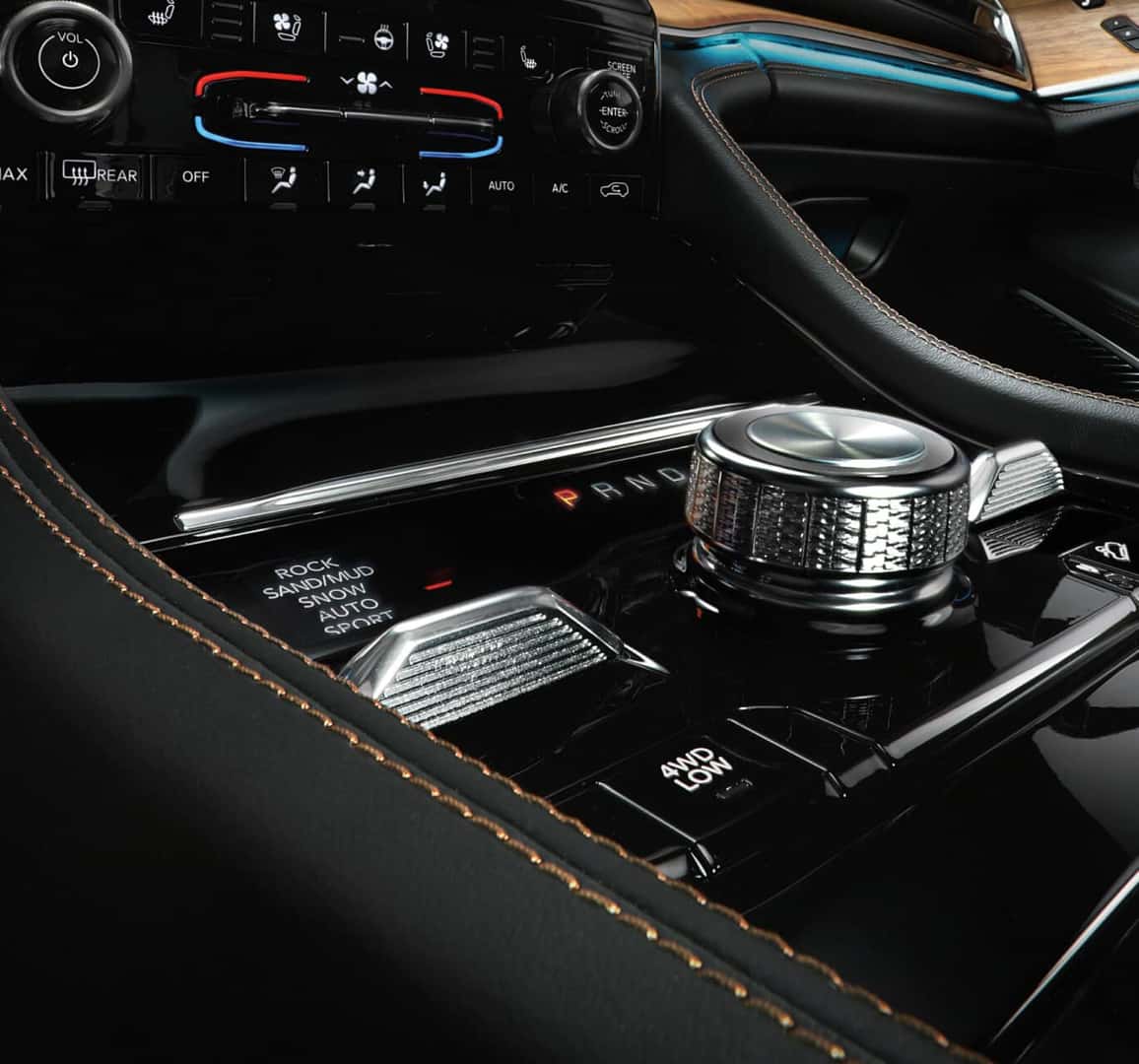
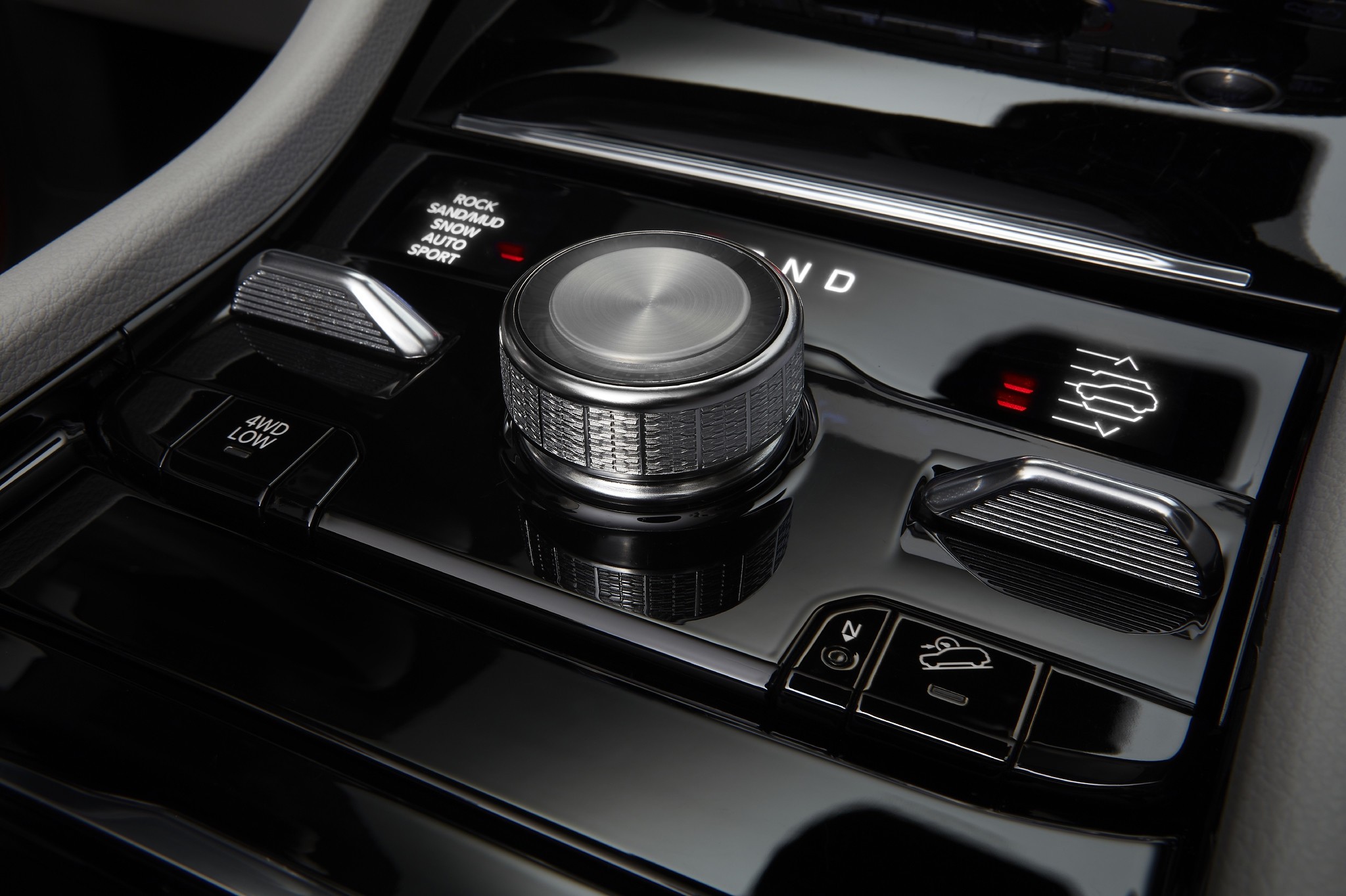
Some Jeep Grand Cherokee models use a rotary dial shifter instead of a lever. To switch off manual mode, turn the dial out of “Drive” and then back into “Drive.” This resets the transmission to automatic mode. The vehicle will stop manual shifting and handle gears on its own.
Disabling Paddle Shifters
Disabling paddle shifters on the Jeep Grand Cherokee helps avoid accidental manual shifts. This feature is useful for drivers who prefer fully automatic driving. The process is simple and can be done through the vehicle’s settings. It allows the transmission to stay in automatic mode without manual interference.
Accessing Infotainment Settings
Start your Jeep and access the main menu on the infotainment screen. Look for the “Settings” option and select it. Scroll to find the “Safety and Driving Assistance” section. This area contains controls for many driver aids, including paddle shifters.
Toggling Paddle Shifters Off
Within the “Safety and Driving Assistance” menu, locate the paddle shifter option. You will see a toggle switch or checkbox to enable or disable it. Switch it to “Off” to deactivate the paddle shifters. Confirm your choice if prompted by the system.
Limitations By Model
Not all Jeep Grand Cherokee models allow disabling paddle shifters via settings. Some older or base trims may not have this option. In such cases, returning the gear lever to the “Drive” position exits manual mode. Always check your owner’s manual for model-specific instructions.

Credit: www.youtube.com
Quick Manual Mode Exit
Exiting manual mode quickly on a Jeep Grand Cherokee saves time and effort. This mode lets you control gear shifts using paddles or the shift lever. Sometimes, you want to return to automatic driving fast. Two simple tricks help you do that without fuss.
Long Press Paddle Trick
Hold the minus paddle on the steering wheel for a few seconds. This action signals the transmission to switch back to automatic mode. The car will then manage gear changes on its own again.
This trick works well while driving and avoids fiddling with the gear lever. It is easy to remember and fast to perform. Try pressing the minus paddle firmly until the mode changes.
Shift Lever Push Technique
If the Jeep is in manual mode via the gear lever, push the lever back to the right. Move it from the manual gate (+/-) into the standard Drive (D) position. This simple move turns off manual mode immediately.
For models with a rotary dial shifter, turn the dial out of Drive, then back into Drive. This resets the system to automatic mode quickly. Both methods are straightforward and require little effort.
Troubleshooting Common Issues
Troubleshooting common issues with manual mode on your Jeep Grand Cherokee can save time and frustration. Some problems happen more often than others. Understanding these issues helps you fix them quickly.
Some drivers find paddle shifters too sensitive. Others notice the transmission won’t switch back to automatic. These problems stop you from turning off manual mode smoothly. The following tips address these issues step by step.
Paddle Shifters Too Sensitive
Paddle shifters might respond to the slightest touch. This causes unwanted gear changes while driving. To avoid this, you can disable the paddle shifters in your settings.
Go to the infotainment system and find the settings menu. Look under Safety and Driving Assistance. Here, you can find an option to turn off paddle shifters. Disabling them stops accidental gear shifts.
If you prefer using the paddles, try adjusting your grip or avoid brushing them by mistake. Sometimes, cleaning the paddles helps if dirt causes extra sensitivity.
Transmission Not Switching Modes
Sometimes, the transmission stays stuck in manual mode. The gear lever or rotary dial might not switch back to Drive. This can happen if the lever is not fully pushed back or the system needs a reset.
First, ensure the gear lever moves completely to the Drive position. For rotary dial shifters, turn the dial out of Drive and back in. This resets the system to automatic mode.
If the transmission still won’t switch, try turning the vehicle off and on. This can clear minor glitches. Check your owner’s manual for specific reset steps if needed.
Credit: www.jeep.ca
Tips For Safe Driving
Driving your Jeep Grand Cherokee safely means understanding manual mode and its features. Manual mode gives you control over gear shifts, but using it right is key. Knowing when to use it and how to avoid mistakes helps you drive better and safer.
These tips help you make the most of manual mode and keep control of your vehicle on the road.
When To Use Manual Mode
Manual mode is best for certain driving conditions. Use it when going downhill to control speed without overusing brakes. It helps on slippery roads where you want smooth, steady power. Also, manual mode is useful during towing to prevent gear hunting. Avoid manual mode in heavy traffic to reduce stress and distractions.
Avoiding Accidental Paddle Activation
Paddle shifters are easy to use but can trigger gear shifts by mistake. Avoid resting your hands on the paddles while driving. Adjust your grip to keep fingers clear of the paddles. If accidental shifts happen often, disable paddle shifters through the settings menu. This reduces sudden gear changes and keeps your drive smooth and safe.
Frequently Asked Questions
How To Switch From Manual To Automatic In Jeep Grand Cherokee?
To switch from manual to automatic in your Jeep Grand Cherokee, move the gear lever from the manual gate back to Drive (D). For paddle shifters, disable them via Apps > Settings > Safety & Driving Assistance by toggling off the paddle shifters option.
How Do I Go Back To Automatic After Paddle Shifters?
To return to automatic mode after using paddle shifters, move the gear lever back to the “Drive” (D) position. For rotary shifters, turn the dial out of and back into Drive. You can also disable paddle shifters via Settings > Safety & Driving Assistance.
How To Change Driving Mode In Jeep Grand Cherokee?
To change driving mode in a Jeep Grand Cherokee, use the rotary dial or gear lever. Turn the dial or shift lever to select modes like Auto, Snow, Sand, Mud, or Rock. The chosen mode adjusts the vehicle’s performance for different terrains and driving conditions.
How Do I Turn Off Manual Paddles On My Jeep Grand Cherokee?
To turn off manual paddles on your Jeep Grand Cherokee, go to Apps > Settings > Safety & Driving Assistance. Toggle off the Paddle Shifters option. Alternatively, shift the gear lever from manual (+/-) back to Drive (D) to resume automatic mode.
Conclusion
Turning off manual mode on your Jeep Grand Cherokee is simple and quick. Just move the gear lever back to Drive or reset the rotary dial. You can also disable paddle shifters via the settings menu if needed. This lets you enjoy smooth automatic driving without interruptions.
Remember, these steps may vary slightly by model year. Always check your owner’s manual for specific instructions. Now, you can switch modes easily and focus on the road ahead.