You’ve just changed the oil in your 2020 Jeep Gladiator, and now it’s time to reset the oil life indicator. If you don’t reset it, your dashboard will keep reminding you about the oil change, which can be annoying and confusing.
But don’t worry—resetting the oil life on your Jeep Gladiator is quick and easy. In this guide, you’ll learn exactly how to reset the oil life light step-by-step, using simple controls on your dashboard. Follow along, and you’ll have your Jeep’s system updated in no time, so you can get back to enjoying the ride without distractions.
Keep reading to find out how!

Credit: armorautoparts.com
Prepare The Vehicle
Preparing your 2020 Jeep Gladiator for the oil life reset is the first step. This ensures the system will properly register the reset. Follow these simple steps to get your vehicle ready.
Turn Ignition To On/run
Start by pressing the ENGINE START/STOP button twice. Do this without pressing the brake pedal. The dashboard lights will come on. This puts the vehicle in the ON/RUN mode. The engine will not start, but the systems will power up. This step is key for accessing the reset functions.
Ensure Foot Off Brake
Make sure your foot is not on the brake pedal during this process. Pressing the brake can change the ignition state. Keep your foot off the brake to maintain the ON/RUN mode. This allows the vehicle’s computer to accept the reset command. It also prevents accidental engine starts while you reset the oil life.
Access The Vehicle Info Menu
Accessing the Vehicle Info Menu is the first step to reset the oil life on your 2020 Jeep Gladiator. This menu holds important data about your truck’s maintenance, including the oil life percentage. You need to enter this menu to find and reset the oil life indicator after an oil change.
The process is simple and uses the controls on your steering wheel. Understanding how to navigate this menu helps keep your Jeep’s maintenance alerts accurate. Follow the steps below to reach the oil life screen quickly and easily.
Use Steering Wheel Arrow Buttons
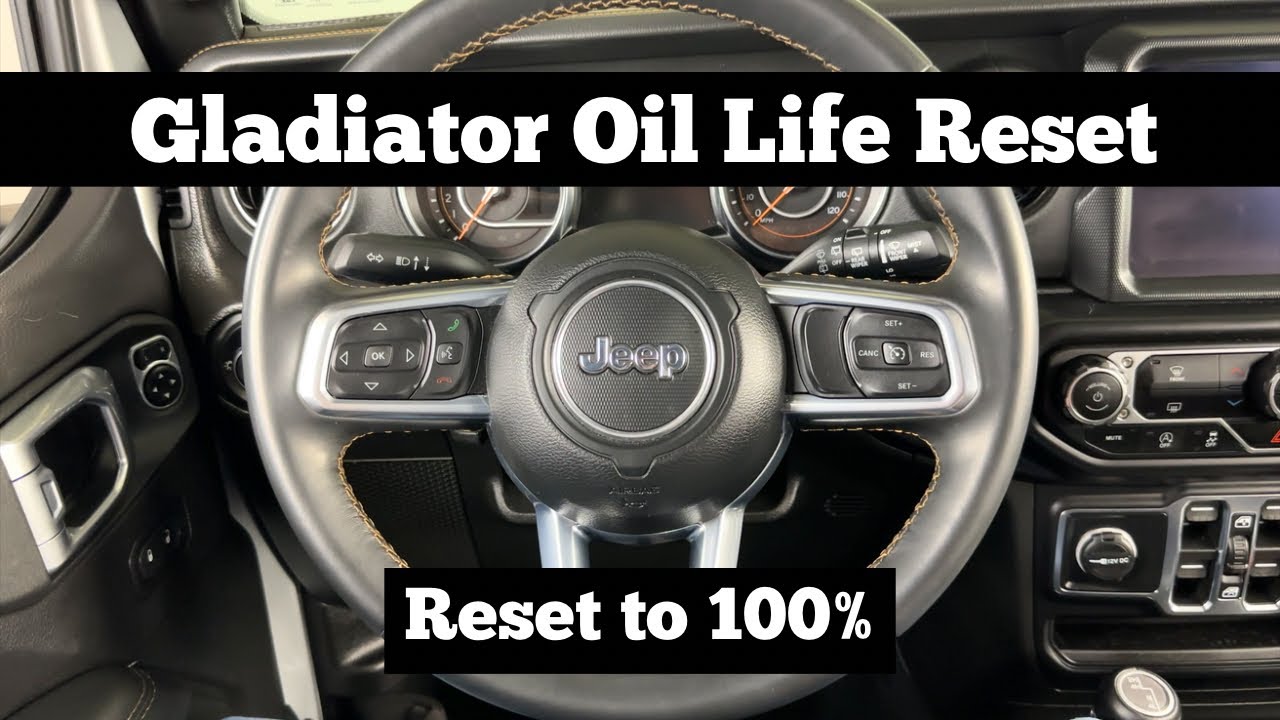
Start by turning on your Jeep’s ignition to the ON/RUN position. Do not start the engine. Look at the left side of the steering wheel. You will see arrow buttons that control the dashboard display.
Press the up or down arrow buttons to scroll through the menu options. These buttons help you move through the Vehicle Info Menu. Press the arrow buttons slowly to avoid skipping past the right screen.
Navigate To Oil Life Screen
Once inside the Vehicle Info Menu, keep pressing the arrow buttons until you see the Oil Life screen. This screen shows the current oil life percentage. It tells you how much oil life is left before the next change is needed.
When the Oil Life screen appears, you are ready to reset the oil life after changing the oil. This step ensures your Jeep accurately tracks maintenance for better engine health.
Reset Oil Life Indicator
The oil life indicator on your 2020 Jeep Gladiator shows when it’s time for an oil change. Resetting this indicator after an oil change keeps your vehicle’s maintenance on track. It helps avoid unnecessary alerts and ensures accurate tracking of your oil’s condition. The reset process is simple and quick. Follow these steps carefully to reset the oil life indicator yourself.
Press And Hold Ok Button
Start with the ignition in the ON or RUN position. Do not start the engine. Locate the OK button on the steering wheel. Press and hold the OK button for a few seconds. This action tells the vehicle you want to reset the oil life. Keep holding until you see the oil life percentage begin to change on the display. Release the button once the reset process starts.
Wait For Gauge To Reset
After releasing the OK button, watch the oil life gauge. It will start counting up to 100%. This shows the reset is successful. Wait patiently as the gauge moves. The reset usually takes a few seconds. When it reaches 100%, the oil life indicator is fully reset. Turn off the ignition and then start your Jeep normally. The oil life light should now be off.
Credit: www.youtube.com
Alternative Reset Method
The alternative reset method offers a simple way to reset the oil life on your 2020 Jeep Gladiator. This approach works well if the standard “Hold OK” button method fails. It involves turning the ignition off and then back on to clear the oil life indicator.
This method requires no special tools or menus. Just a few quick steps can reset the oil life and prepare your Jeep for the next service interval.
Turn Ignition Off And Back To On
Start by turning the ignition off completely. Make sure the engine is not running. Wait a few seconds.
Next, turn the ignition back to the ON position. This is the run mode where the dashboard lights up but the engine stays off. Avoid the ACC mode, as it will not trigger the reset.
Verify Reset Completion
Check the oil life indicator on your dashboard. It should now show 100% or a full reset message. If the oil life has not reset, repeat the ignition off and on steps.
This simple check ensures the reset was successful before you start driving. Your Jeep Gladiator is now ready for the road with a refreshed oil life monitor.
Tips For Successful Reset
Resetting the oil life on your 2020 Jeep Gladiator requires some attention to detail. Small errors can stop the reset from working. Follow these tips for a smooth and successful reset. These easy steps help prevent common mistakes during the process.
Each tip targets a key part of the reset routine. Staying focused on these will save time and frustration. Keep your Jeep’s maintenance system updated to avoid warning lights and keep the engine healthy.
Avoid Acc Position
Never use the ACC position on the ignition to reset the oil life. The ACC mode powers some electronics but not the full dashboard. The reset only works when the ignition is in the ON or RUN mode. Turn the key or press the start button twice without pressing the brake. Make sure the dashboard lights fully up before proceeding.
Confirm Engine Not Running
Always ensure the engine is off during the reset process. The engine must not be running. The ignition should be ON, but the engine should stay off. This state allows the system to accept the reset command. Starting the engine too soon can cancel the reset and cause errors. Wait patiently until the oil life screen is ready before turning the engine on.

Credit: ecogard.com
Troubleshooting Common Issues
Troubleshooting common issues during the oil life reset on a 2020 Jeep Gladiator helps avoid frustration. Some drivers face problems where the reset does not work as expected or the instrument cluster does not display the reset status properly. Identifying these issues early saves time and ensures the oil life monitor functions correctly.
Reset Not Working
The oil life reset may fail if the ignition is not in the correct position. The ignition must be in the ON/RUN mode, not ACC or OFF. Press the ENGINE START/STOP button twice without pressing the brake pedal to reach this mode.
Another cause is not holding the OK button long enough on the steering wheel controls. Hold it for about 10 seconds until the oil life percentage resets to 100%. If this does not work, try turning the ignition off and back on to the RUN position and repeat the process.
Sometimes, software glitches can prevent the reset. Disconnecting the battery for a few minutes may help clear minor errors. Consult your owner’s manual or a Jeep technician if the problem persists after several attempts.
Check Instrument Cluster Display
The instrument cluster display shows the current oil life percentage and reset status. If the display is dim, blank, or frozen, the reset may not register. Ensure the dashboard lights are working by adjusting the dimmer switch or checking the fuse related to the instrument cluster.
Verify the correct menu is selected on the display. Use the arrow buttons on the left side of the steering wheel to navigate to “Vehicle Info” and then to the “Oil Life” screen. The reset will only show here.
If the display does not update after resetting, turn the ignition off and back on. This action refreshes the system and often makes the new oil life status appear correctly.
Frequently Asked Questions
How To Reset A Jeep Gladiator After An Oil Change?
Press the ENGINE START/STOP button twice without pressing the brake to enter ON/RUN mode. Use steering wheel arrows to find Oil Life. Hold the OK button until the oil life resets to 100%. Turn ignition off and on to confirm the reset.
How To Reset Jeep Oil Life After Oil Change?
Turn ignition to ON/RUN without starting engine. Use steering wheel buttons to navigate to Oil Life screen. Press and hold OK until reset. Verify oil life shows 100%.
How Do You Reset The Oil Life On A 2020?
Turn the ignition to ON without starting the engine. Use steering wheel buttons to find Oil Life. Press and hold OK until it resets. Turn off ignition, then start the engine to confirm the reset.
How To Reset Gladiator Maintenance?
To reset Gladiator maintenance, turn ignition to ON (engine off). Use steering wheel buttons to select Vehicle Info. Scroll to Oil Life, then press and hold OK until reset. Turn ignition off and on to confirm.
Conclusion
Resetting the oil life on your 2020 Jeep Gladiator keeps your engine healthy. Follow the simple steps carefully to clear the oil change light. Make sure the ignition is in the ON/RUN position before starting. Use the steering wheel buttons to find the Oil Life screen.
If one method does not work, try the alternative reset process. Regularly resetting helps track maintenance and avoid engine problems. Keep your Jeep Gladiator running smoothly with proper oil life resets.